
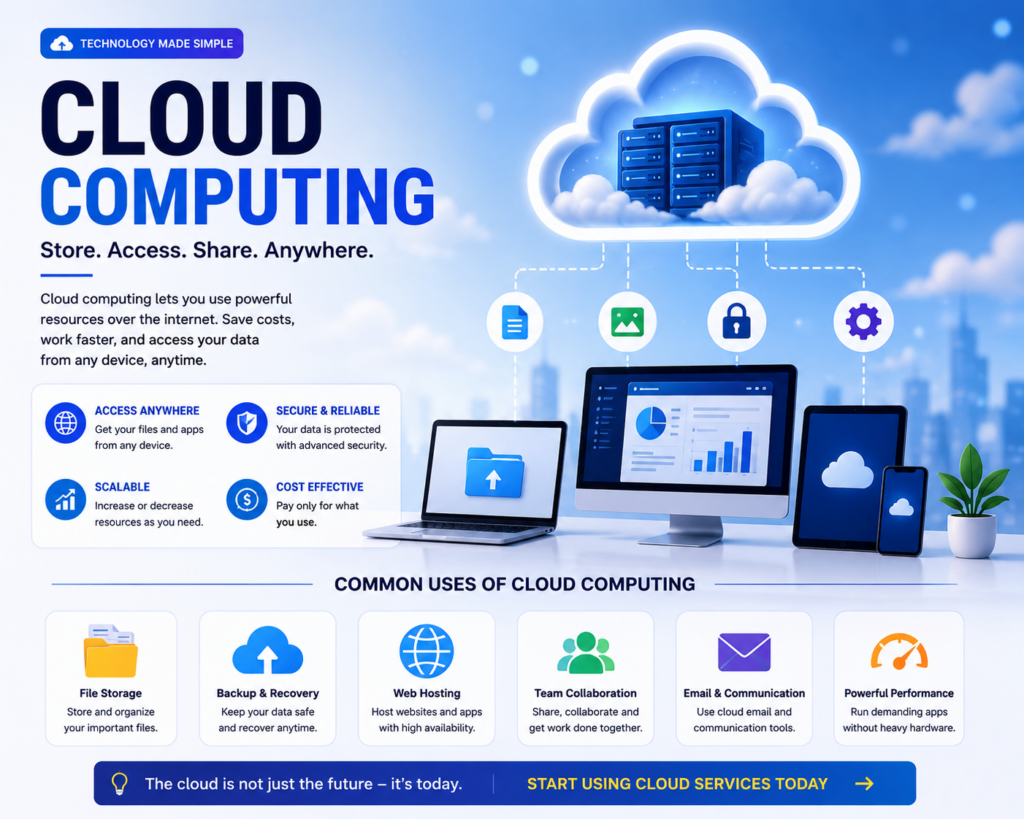
What Is Cloud Computing? A Simple Beginner's Guide to Using Cloud Services
Have you ever saved photos online, used Google Drive, watched Netflix, or accessed your files from different devices? If yes, you have already used cloud computing.
Cloud computing has become one of the most important technologies in the modern world. Businesses, developers, students, freelancers, and everyday users all use cloud services to store data, run applications, and access information online.
The best part is that you do not need to be a technology expert to start using cloud services.
What Is Cloud Computing?
Cloud computing means using computing resources over the internet instead of relying only on your own computer or phone.
These resources can include:
- Online storage
- Servers
- Databases
- Software applications
- Website hosting
- Computing power
Instead of storing everything on one physical device, cloud services allow you to access your data and applications online.
Simple Example of Cloud Computing
Imagine you save a document on your computer. If your computer breaks, you may lose access to that file.
But if you save the same file using an online cloud storage service, you can potentially access it from another computer, tablet, or smartphone by signing into your account.
This is one of the simplest examples of cloud computing.
Why Is Cloud Computing So Popular?
Cloud computing provides flexibility and convenience. Users can access services from almost anywhere with an internet connection.
- Access files from multiple devices
- Reduce the need for physical storage
- Work remotely
- Back up important information
- Run websites and applications
- Scale business technology more easily
Types of Cloud Services
1. Cloud Storage
Cloud storage allows you to save files online instead of storing everything only on your local device.
You can use cloud storage for documents, photos, videos, backups, and business files.
2. Cloud Hosting
Websites and applications can run on cloud servers instead of a single physical server.
This is useful for businesses, developers, bloggers, and website owners who need reliable hosting solutions.
3. Cloud Software
Many applications can be used directly online without installing traditional software on your computer.
This allows users to access their work from different devices.
4. Cloud Backup
Cloud backup helps protect important files by storing copies online.
If your computer or phone is lost or damaged, a backup may help you recover your important information.
How Can Beginners Start Using Cloud Services?
Starting with cloud services is easier than many beginners think.
Step 1: Choose a Cloud Service
Think about what you want to do. Do you need online storage, website hosting, file backup, or a cloud application?
Step 2: Create an Account
Most cloud services require you to create an account. Use a strong password and enable additional security features whenever possible.
Step 3: Upload or Create Your Files
Once your account is ready, you can upload files or create content directly through the service.
Step 4: Learn the Basic Features
Start with simple features such as uploading files, creating folders, sharing documents, and managing your account.
Cloud Computing for Freelancers
Freelancers can use cloud services to manage their work more efficiently.
- Store project files
- Share documents with clients
- Back up important work
- Access projects from different devices
- Use online productivity tools
- Host websites and applications
Cloud services are especially useful for freelancers who work remotely or use multiple devices.
Cloud Computing for Small Businesses
Small businesses can use cloud technology without building expensive physical infrastructure.
Cloud services can help businesses manage files, websites, communication, customer information, and business applications.
This allows small businesses to use modern technology while keeping their operations flexible.
Is Cloud Computing Safe?
Cloud services can provide strong security features, but users still need to protect their accounts.
Follow These Security Tips:
- Use a strong and unique password.
- Enable two-factor authentication.
- Do not share your login details.
- Be careful with suspicious links.
- Review account access regularly.
- Keep important files backed up when possible.
Cloud Computing and the Future
Cloud computing is becoming an important part of modern technology. Artificial intelligence, websites, mobile applications, online businesses, and many digital services depend on cloud infrastructure.
As more people work remotely and use online services, cloud technology will continue to play an important role in everyday life.
Final Thoughts
Cloud computing may sound complicated, but the basic idea is simple: you use technology and services over the internet instead of relying only on your own physical device.
Whether you are a student, freelancer, blogger, developer, or small business owner, learning to use cloud services can make your digital work easier and more flexible.
Start with one simple cloud service today, learn the basics, and gradually discover how cloud technology can improve the way you work.
Ready to Start Using the Cloud?
Choose one cloud service for storage, backup, productivity, or hosting and start exploring its basic features today. The cloud is easier to use than you might think.

